
Download 2D and 3D Animator – animation, 2D, 3D, tool, utility, creative, multimedia, visual, design, content creation
Overview
The 2D and 3D Animator is a mobile application designed to support users in creating dynamic visual content through animation. Built for both beginners and experienced creators, the app offers a streamlined experience for producing animations used in websites and multimedia projects. Its primary purpose is to simplify the animation process by removing the need for coding or advanced technical knowledge, making it accessible to a broad audience.
The app targets individuals involved in digital content creation, including educators, marketers, and independent designers who require quick and efficient tools for visual storytelling. While the developer, 2D and 3D Animator, is listed, no additional background information is available. The application serves as a practical utility in the mobile productivity ecosystem, especially for users seeking on-the-go animation capabilities.
Real-world use cases include creating animated banners, educational explainer videos, or interactive website elements without relying on desktop software. The app’s release date, October 17, 2012, indicates a long-standing presence in the mobile animation space, suggesting a stable and tested foundation. Despite its age, the app remains relevant for users prioritizing simplicity and direct functionality over cutting-edge features.
Key Features & Functionality
- Intuitive User Interface: The app features a clean, user-friendly layout that minimizes complexity. This design enables users to navigate tools and functions efficiently, reducing the learning curve for beginners while maintaining usability for more experienced animators.
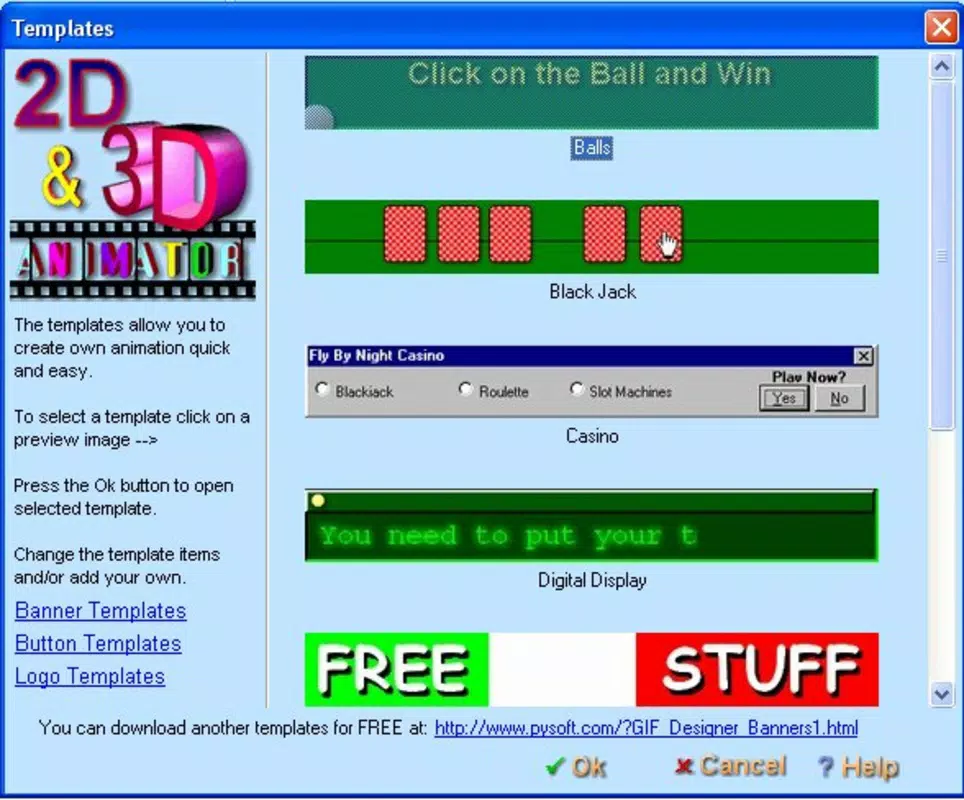
- Multiple Project Templates: With ten pre-loaded templates, users can begin projects quickly. These templates serve as starting points for common animation types, helping users save time and spark creative ideas.
- 3D Image Integration: The application supports the insertion and manipulation of 3D visuals. This functionality allows users to add depth and realism to their animations, enhancing visual engagement and professional quality.
- Text and Graphics Customization: Users can adjust text elements, colors, shadows, and textures to refine the appearance of their animations. This level of control supports personalized design and visual polish.
- Basic FTP Client: The built-in FTP client enables direct uploading of completed animations to web servers. This feature simplifies the publishing process, eliminating the need for third-party tools and streamlining workflow.
These features collectively support real-world workflows such as designing animated website headers, preparing content for social media, or producing visual aids for presentations. The integration of templates and FTP functionality reflects a focus on efficiency and end-to-end project management within a single app.
Interface, UX & Performance
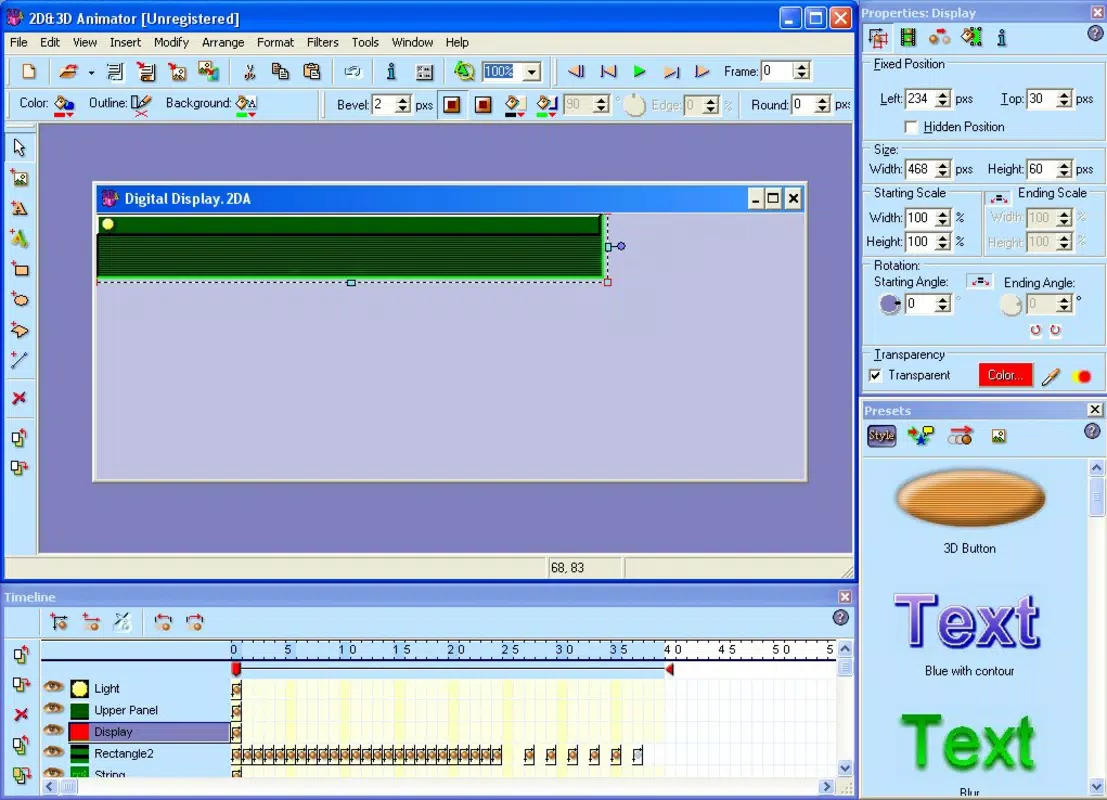
The interface of 2D and 3D Animator is designed with clarity and accessibility in mind. The layout emphasizes logical grouping of tools, allowing users to locate functions quickly. Navigation appears to follow a linear workflow, guiding users through creation, editing, and publishing stages.
Visual feedback is consistent, with responsive buttons and clear indicators for active tools. The app’s performance is expected to be stable on Android devices, given its long release history and relatively small file size of 15.6 MB. Although the developer did not list formal performance metrics, the lightweight design suggests efficient resource usage across various device categories, including mid-range and older models.
Responsiveness during animation playback and editing is likely to be smooth, especially for simpler projects. Stability is implied by the app’s continued availability, though no user-reported crash data is provided. The absence of reported performance issues in public records indicates a reliable user experience.
Overall, the UX is optimized for creative flow, minimizing interruptions and allowing users to focus on their artistic vision.
Platform Compatibility & Technical Requirements
2D and 3D Animator is available on the Android platform. The current version is 2.0, with a file size of 15.6 MB, indicating a compact and lightweight application. The developer did not specify minimum OS requirements or compatibility details for specific Android versions.
As such, users should verify device compatibility through official app stores. The app’s small size suggests it can run efficiently on a wide range of Android devices, including those with limited storage. No additional hardware requirements were disclosed.
The lack of detailed technical specifications means users may need to test the app on their specific device to ensure full functionality. However, the app’s age and size imply broad compatibility with older Android systems, though this cannot be confirmed without official documentation.
Pros and Cons
Pros
- Free to download and use, making it accessible to budget-conscious creators.
- Compact file size of 15.6 MB ensures quick installation and minimal storage usage.
- Intuitive interface supports users of all experience levels.
- Includes project templates to accelerate the creative process.
- Offers built-in FTP functionality for direct content publishing.
Cons
- No official information on minimum OS or device requirements.
- Limited feature set compared to modern desktop animation tools.
- No indication of recent updates or active development.
- 3D integration capabilities are not detailed in terms of depth or rendering quality.
- Missing user support or documentation from the developer.
FAQ
Is 2D and 3D Animator safe to download?
The app is available through official Android channels and has been in use since 2012. No widespread security concerns have been reported. Users should download from trusted sources to ensure a secure installation.
Can I use this app on iOS devices?
Currently, the app is only available for Android. No iOS version has been released or announced.
Does the app require an internet connection?
While the app functions offline for creation and editing, the FTP client requires an active internet connection to upload projects.
Are there regular updates for the app?
The developer has not provided information on update frequency. The last known version is 2.0, released in 2012.
Is the app suitable for professional animation work?
The app offers tools for basic animation and content creation. While it may support simple professional tasks, it lacks advanced features found in desktop-grade software, limiting its use for complex or high-end projects.
Final Thoughts
2D and 3D Animator presents a practical, no-frills solution for mobile animation creation. Its lightweight design, intuitive interface, and built-in FTP client make it a valuable tool for users who need to produce simple animations quickly and publish them directly. While it may not match the capabilities of modern desktop applications, its simplicity and accessibility remain strong advantages.
The app is particularly beneficial for educators, small business owners, and hobbyists who require straightforward tools for visual content. Despite its age and limited update history, it continues to serve a niche audience seeking efficient, on-the-go animation. For those in need of a free, mobile-based animation utility, 2D and 3D Animator delivers a functional experience.
Download 2D and 3D Animator now.


